
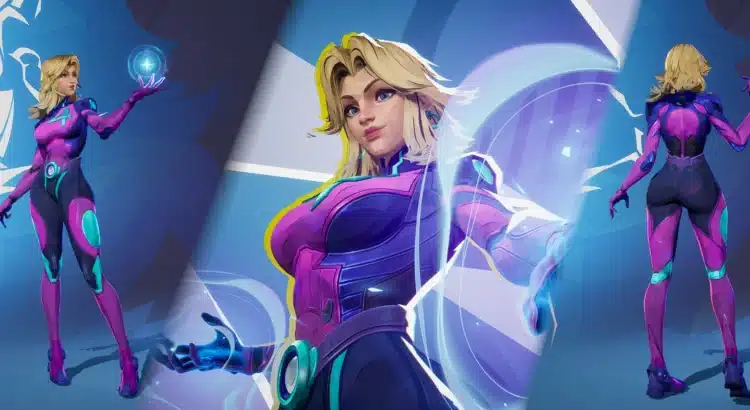
Marvel Rivals has a lot of character personality baked into its visuals — animations, silhouettes, hero poses, even the way costumes read at a distance.
And that’s exactly why cosmetic mods have become such a massive part of the community: they don’t change the game… but they absolutely change the vibe.
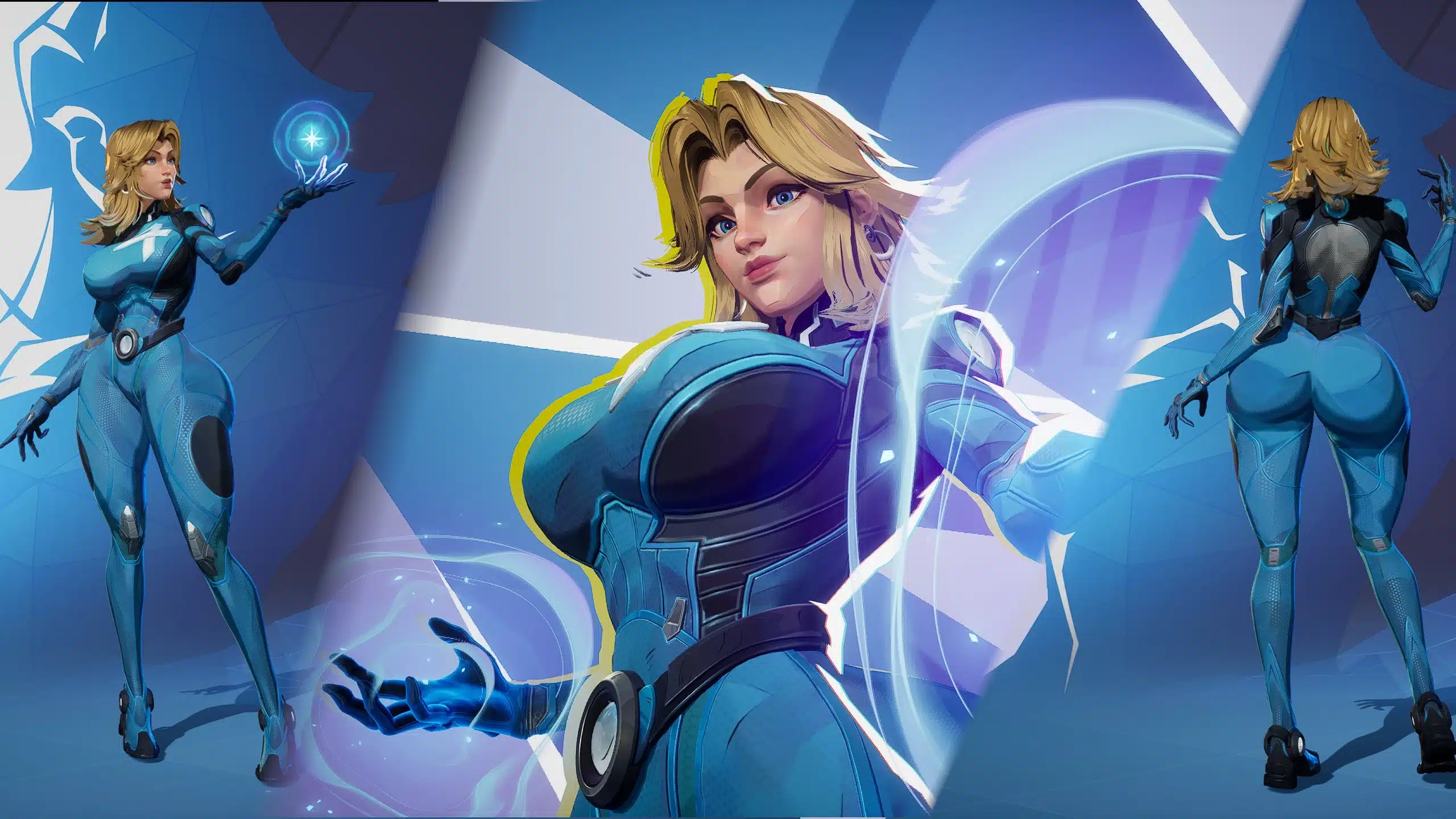
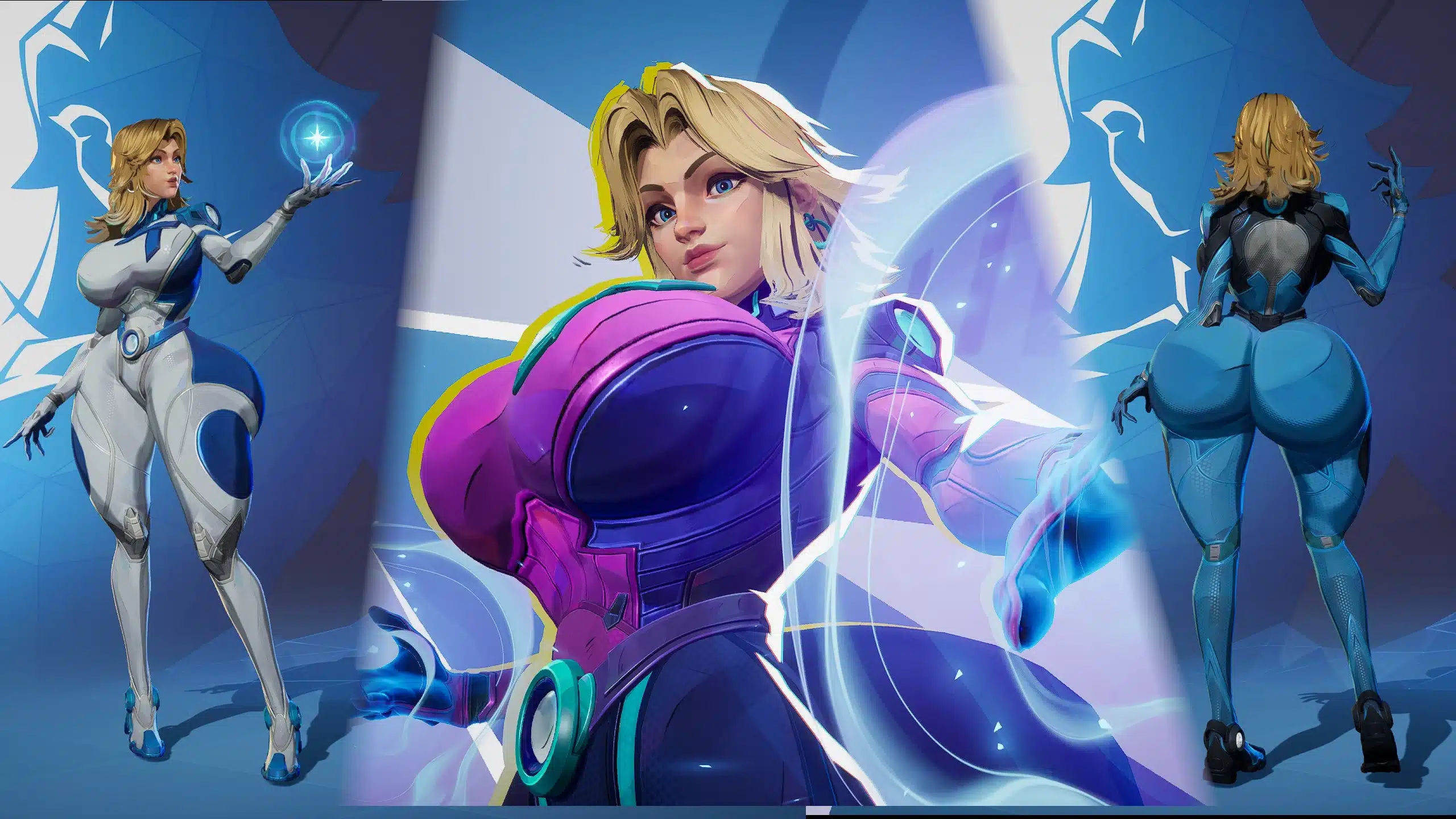
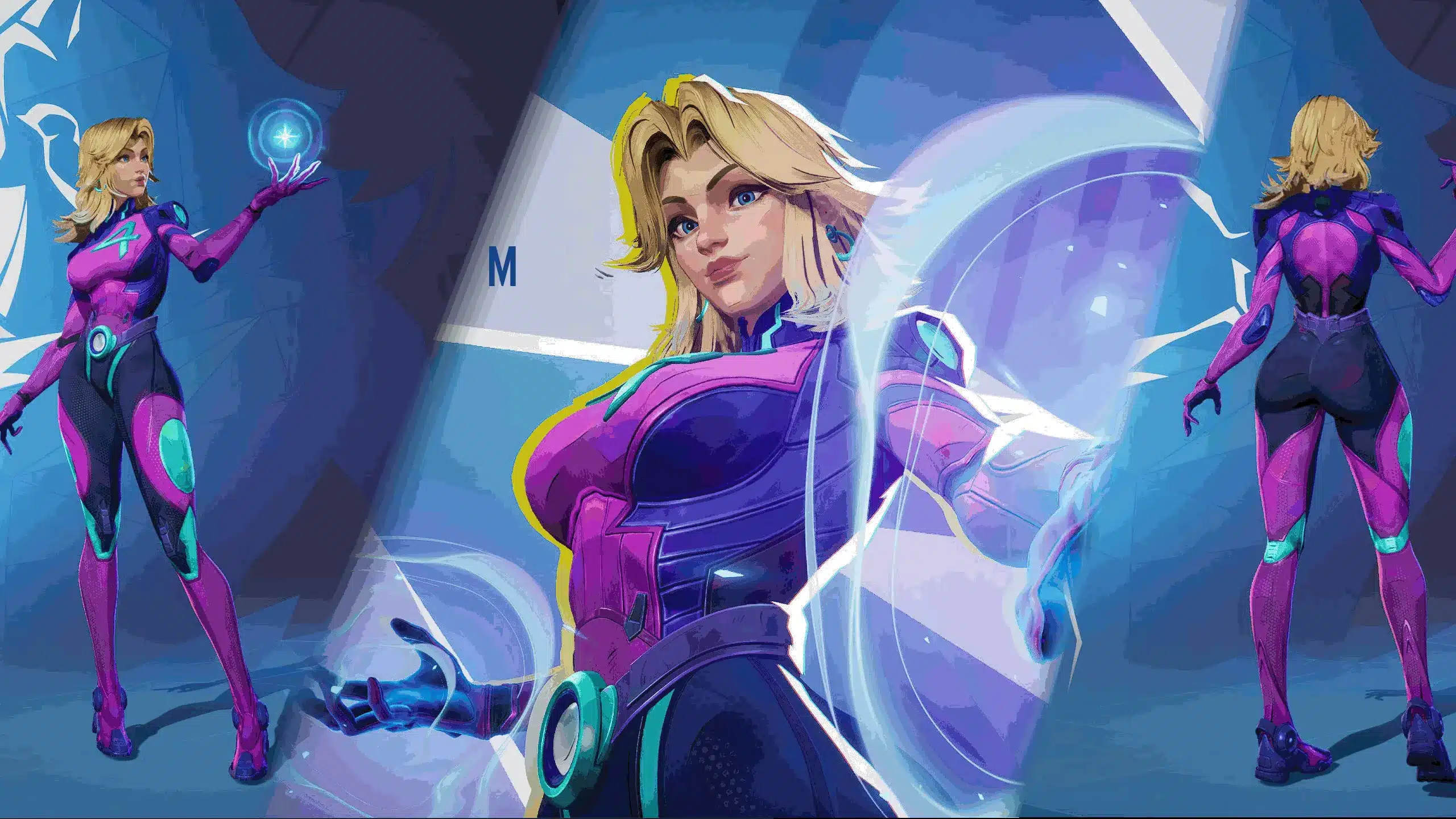
Thicc Invisible Woman is one of those mods that instantly stands out. It’s a bold visual overhaul for Sue Storm, built around exaggerated proportions and offered in five different size presets — ranging from “subtle upgrade” to “someone clearly owns the server.”
It’s also modular (you choose your version), includes an optional physics add-on, and is designed to work alongside popular jiggle/physics frameworks.
If your Marvel Rivals install is already leaning into modded cosmetics (including NSFW-flavored skins), this one fits in like it was always meant to be there.
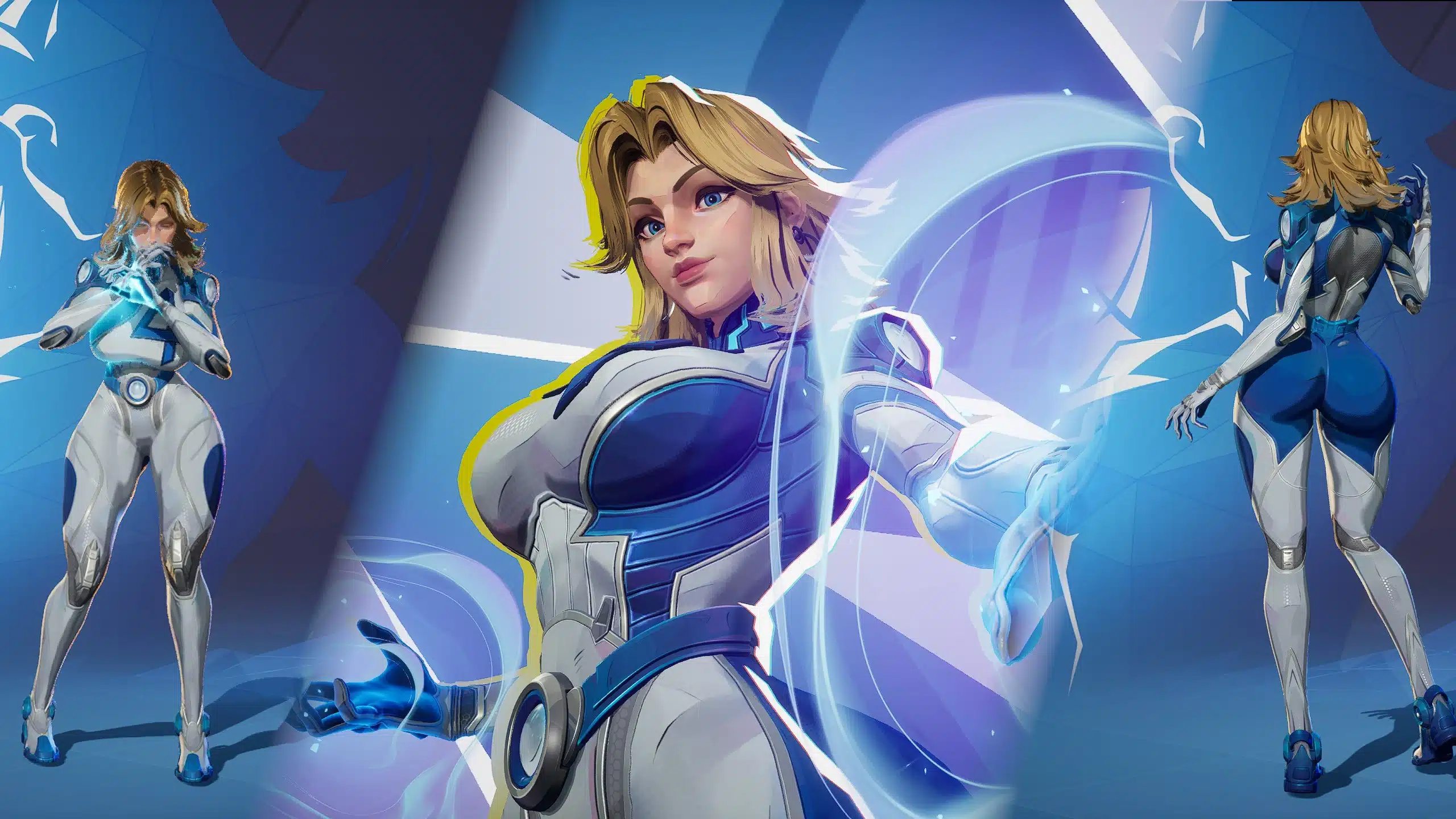
What Is the Thicc Invisible Woman Mod?
This is a character model/body edit for Invisible Woman (Sue Storm).
It does not add new abilities, change damage, or mess with balance.
Instead, it focuses on one thing:
A new body shape for Invisible Woman, available in multiple preset sizes, with optional physics support.
It’s the kind of mod that makes the lobby feel different immediately — and for many players, that’s the entire point of modding.
Features: What This Mod Includes
This mod keeps things clean and straightforward, which is honestly what you want from a cosmetic overhaul.
Key features
- Five included body sizes:
- M
- L
- XL
- XXL
- XXXL
- Optional Lobby Physics
- Compatible with:
✅ amMatt’s Universal Jiggle Physics - Built as a modular install, meaning:
- pick the size you want
- install it
- you’re done
No complicated configuration menus. No “choose 40 separate files and pray.” Just a simple mod built for maximum impact.
Choosing the Right Size (M vs XXXL)
One of the smartest parts of this mod is the size selection.
Not everyone wants the same thing from a modded Marvel Rivals setup. Some players want small adjustments that feel believable. Others want full arcade-mode exaggeration.
This mod caters to both.
Quick size guide
- M / L: best for players who want “enhanced but still natural”
- XL: the sweet spot for most modded setups — noticeably thicc without going full meme
- XXL / XXXL: extreme variants for players who want the mod to be the entire point
A nice bonus: having size presets means the mod also plays better in mixed installs. You can test different options without reworking your whole setup.
Optional Lobby Physics (What It Means)
The mod includes an optional “Lobby Physics” element.
That usually affects:
- menu animations
- character idle motion
- lobby posing behavior
It’s not required, but for players who are collecting NSFW cosmetic mods, lobby presentation is half the fun — and optional physics can make things feel more “alive” (for lack of a better word).
Pro tip:
If anything looks off — clipping, odd movement, exaggerated bounce — lobby physics is the first thing to toggle off while troubleshooting.
Where to Download Thicc Invisible Woman
The mod is available on Nexus Mods
The author also suggests checking out their other Invisible Woman releases, including variants like:
- Blood Shield
- Future Foundation
- First Steps
- Azure Shade
- Disappearing Dessert
- Prism Parade
So if you like the style of this mod, there’s a decent chance you’ll end up building a whole Sue Storm mod folder.
Installation Guide (Step-by-Step)
Installation follows the standard Marvel Rivals modding approach:
- Download the mod from Nexus Mods
- Extract the
.zipfile - Move the
.pakfile(s) to your mods folder:
\Steam\steamapps\common\MarvelRivals\MarvelGame\Marvel\Content\Paks\~mods
If you don’t have a ~mods folder:
Create it manually:
- Go to:
...Content\Paks\ - Create a folder named exactly:
~mods
That tilde matters.
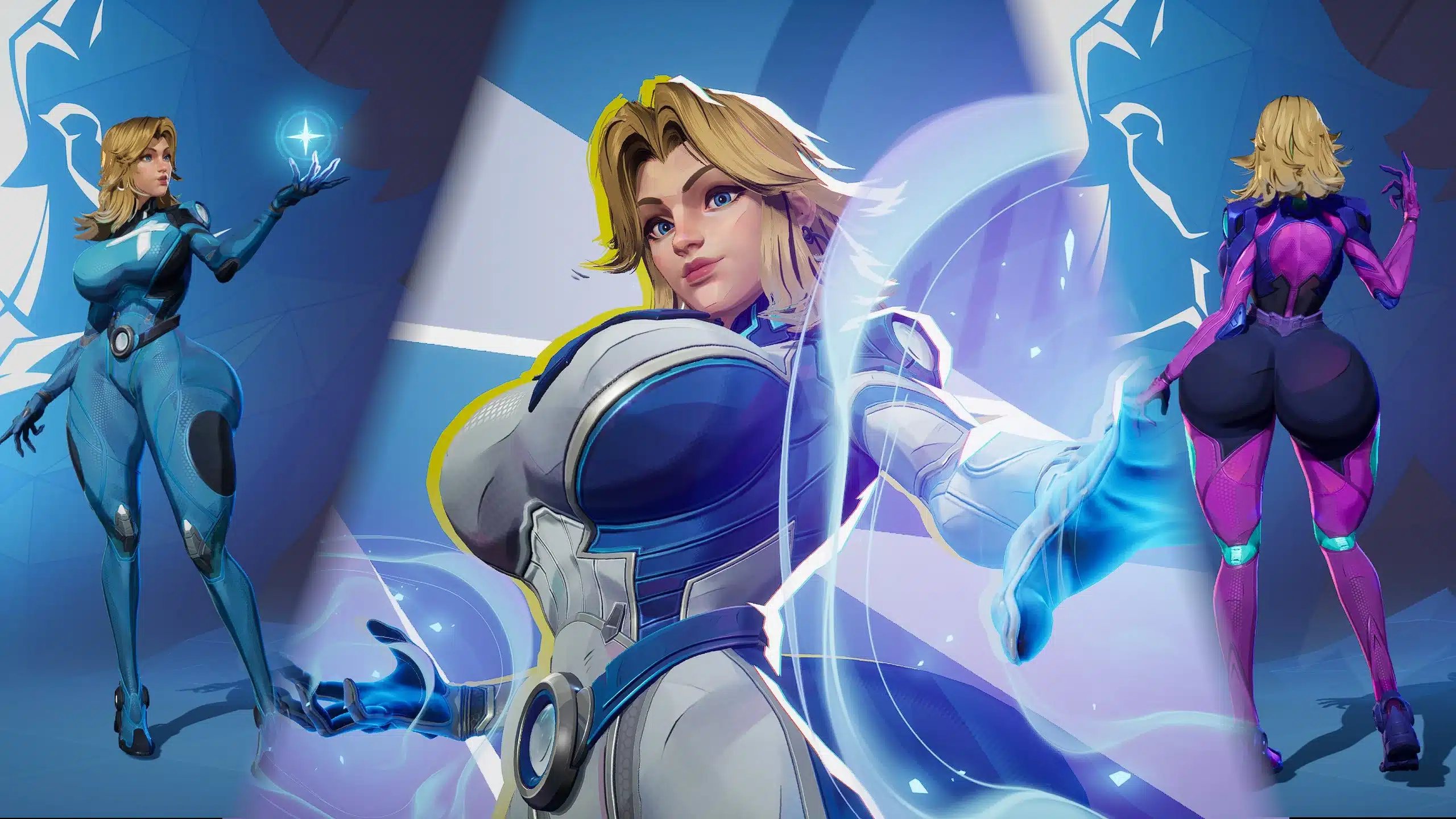
Compatibility Notes (What Works With It)
This mod is confirmed compatible with:
✅ amMatt’s Universal Jiggle Physics
That’s important for two reasons:
- Consistency
If multiple skins rely on physics, you want one universal framework rather than mismatched “some skins bounce, some don’t.” - Future-proofing your mod folder
Once you start stacking cosmetic mods, compatibility becomes the difference between a fun setup and 45 minutes of reinstalling.
Recommended approach
- Install one body preset only (M / L / XL / XXL / XXXL)
- Add lobby physics only if you want it
- Add jiggle physics framework last
That gives you the cleanest troubleshooting path.
Best Practices: Keeping Your Mod Folder Stable
Cosmetic mods are easy to install.
They’re also easy to break when your folder becomes a graveyard of old experiments.
Here are some “don’t hate yourself later” basics:
1) Use one Invisible Woman body mod at a time
If you install two body mods targeting the same character:
- the game may load whichever file wins priority
- results can be inconsistent (or hilarious in a bad way)
2) Keep filenames recognizable
Rename downloaded .pak files so you know what they are, for example:
invisiblewoman-thicc-xl.pakinvisiblewoman-thicc-lobbyphysics.pak
3) Test in steps
Install in this order:
- base skin mod
- test
- add lobby physics
- test
- add physics framework
- test again
That sounds slow, but it saves hours.
Troubleshooting (If Something Looks Wrong)
The author requests that if there are issues, players report:
- the issue
- a Replay ID showing the skin in use
That’s actually a great sign: Replay IDs make bugs reproducible, which means fixes happen faster.
Common cosmetic mod issues
- Invisible Woman looks unchanged: mod not in
~modsfolder - Broken model / missing textures: conflicting mod overrides same asset
- Odd movement or clipping: try removing lobby physics add-on first
- Physics not working: framework not installed or being overwritten
Why This Mod Works (Even Beyond the Meme)
Mods like this are easy to dismiss as purely “horny cosmetics.”
But there’s a reason they keep trending.
They offer:
- personalization
- character fantasy
- lobby aesthetics
- screenshot-friendly results
- mod collection building
And honestly? Marvel Rivals is already half-style, half-chaos.
So a mod that goes all-in on presentation feels… perfectly on brand.
More Marvel Rivals Mods
For more character skins, NSFW-friendly cosmetic mods, and setup guides, check the Marvel Rivals hub:
And related Invisible Woman content:
Stay connected with the galaxy’s latest updates!
Follow us on X, Facebook, Instagram, bsky or Pinterest for exclusive content, mod guides, Star Wars gaming news, and more. Your support helps keep the Holonet alive—one click at a time.
Author
Related Posts

Cyberpunk 2077 Mod: Princess Leia Slave Outfit (Female V) – Star Wars VI Inspired Look-
Ian Doescher Announces William Shakespeare’s Star Wars: The Mandalorian of Nevarro (Part the First) 
Disney’s Star Wars Box Office Era: What the Numbers Actually Say-
From Hoth to Greenland: Why Star Wars Always Returns to Ice Worlds



-
Star Wars: Galaxy’s Edge – Echoes of the Empire Comic Announced, Bringing Luke, Leia & Chewie to Batuu -
Hollywood Reporter Says a “Sequel-Sequel Trilogy” Feels Inevitable — and Honestly, They Might Be Right 
Dave Filoni’s MandoVerse Movie Is Reportedly on the Backburner — But Thrawn Remains the Big Threat-
Kathleen Kennedy Says Casting Han Solo Was “An Impossible Situation” for Alden Ehrenreich