
When I test image platforms now, I try to avoid the easy mistake of judging them by one dramatic sample. A single impressive result can make almost any tool look convincing for a moment. What matters more is how the platform behaves when a normal creative task becomes messy, repetitive, and slightly frustrating. That is why I spent this comparison looking closely at AI Image Maker as part of a broader test across several AI image tools, not as an isolated product review.
The angle for this round was simple: what happens when I am not playing with prompts for fun, but trying to finish usable visual work? I tested AIImage, Midjourney, Adobe Firefly, Leonardo AI, Canva AI, and Freepik AI across ordinary tasks: a product-style visual, a lifestyle social post concept, a clean editorial image, a reference-based transformation, and a simple marketing image. I did not expect one platform to win every category. I wanted to see which one stayed helpful when the work required revision.
This matters because creative pressure changes the meaning of “good.” When you are relaxed, a surprising image feels exciting. When you are working toward a deadline, that same surprise can become a problem if it is hard to control, hard to repeat, or buried inside a distracting interface. I wanted to know which platform helped me think more clearly, not just which one produced the most eye-catching first result.
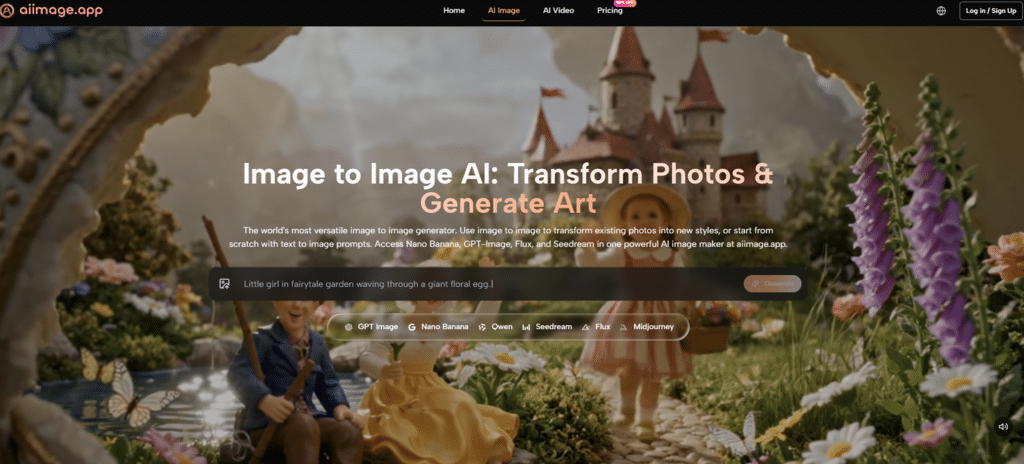
In that context, GPT Image 2 gave AIImage a useful position in the comparison because the site presents it as a model for more structured and detailed image generation. I treated that claim conservatively. I did not assume it would solve every image problem. Instead, I looked for whether the platform felt suitable for prompts that needed cleaner composition, more controlled detail, and a more predictable visual direction.
The result was not a simple “one tool destroys the rest” story. Midjourney still produced some of the most visually distinctive images. Adobe Firefly felt polished and familiar, especially for people who already think in design workflows. Canva AI remained convenient for quick layout-oriented use. But AIImage felt unusually steady across multiple types of tasks, especially when I moved between text generation, uploaded-image transformation, and image-to-image style exploration.
Why Creative Pressure Reveals Better Tools
A relaxed demo hides friction. A real project exposes it. When I tested these tools, I paid attention to moments when I had to make a decision quickly: should I rewrite the prompt, choose another model, upload a reference image, adjust the visual direction, or abandon the result and start over? Those moments reveal whether a platform actually supports creative thinking.
AIImage performed well because the platform structure was easy to understand. The official site presents it as an AI image generation and visual creation platform rather than a narrow single-purpose generator. It supports text-based image creation, uploaded-image transformation, image-to-image workflows, and video-related creation paths. That broader structure helped the platform feel more flexible without becoming overly confusing.
How I Designed The Comparison
I used the same general creative tasks across each platform, but I did not force every tool into identical behavior. That would be unrealistic because different platforms have different strengths. Instead, I compared how each platform handled a practical user intention.
For example, I tested whether a product visual could be made clean enough for a landing page concept. I tested whether a portrait-style prompt could maintain believable lighting. I tested whether a social media image could be generated quickly without too much interface resistance. When supported, I also tested whether an uploaded image could be transformed or reinterpreted in a useful way.
Why I Avoided Single-Image Judgments
A single output tells you what a platform can do under favorable conditions. Repeated use tells you what it feels like to rely on the platform. For AI Image App, that second question is more important for creators, marketers, sellers, and anyone who needs a visual workflow rather than a one-time experiment.
The Comparison Table That Changed My Ranking
| Platform | Image Quality | Loading Speed | Ad Distraction | Update Activity | Interface Cleanliness | Overall Score |
| AIImage | 8.9 | 8.7 | 8.9 | 8.8 | 9.0 | 8.9 |
| Midjourney | 9.2 | 8.0 | 8.8 | 8.8 | 7.8 | 8.5 |
| Adobe Firefly | 8.5 | 8.7 | 8.9 | 8.4 | 8.8 | 8.6 |
| Leonardo AI | 8.8 | 8.3 | 7.9 | 8.5 | 8.0 | 8.3 |
| Canva AI | 8.0 | 8.9 | 8.3 | 8.2 | 8.7 | 8.3 |
| Freepik AI | 8.1 | 8.8 | 8.1 | 8.2 | 8.3 | 8.3 |
The scores show why AIImage ranked first for me overall, but they also show why the decision was not automatic. Midjourney had the highest image quality score in my notes because some outputs had stronger artistic personality. Adobe Firefly was very clean and polished. Canva AI was fast and practical for lightweight content. AIImage’s advantage came from balance. It stayed near the top in every category instead of winning only one.
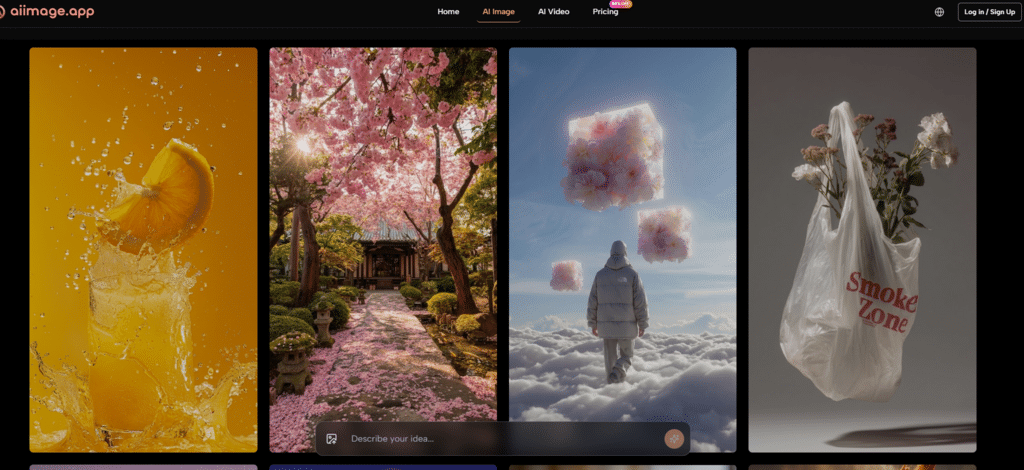
That balance is important because most creators do not only need image quality. They need the platform to load smoothly, remain visually calm, feel current, and avoid interrupting the user with unnecessary distraction. I found that AIImage’s cleaner working rhythm made me more willing to keep refining.
What AIImage Felt Like During Real Use
The strongest part of AIImage was the sense that the platform could handle different stages of visual thinking. I could begin with a text prompt, describe subject and composition, then move toward uploaded-image transformation when I had a reference image to work from. That matters because a real creative process rarely stays in one mode.
The platform’s support for multiple AI image and video models also gave the experience more room. I would not overstate this as if every model choice magically improves every task. But the presence of multiple model paths made the platform feel more adaptable than a tool that forces one generation style across every request.
The Step Sequence Felt Practical
AIImage’s workflow was easy to describe, which is a strength in itself.
The Repeatable Creative Path
- Choose an image, image editing, or video-related creation path.
- Enter a prompt or upload a reference image when needed.
- Select an available AI image or video model when appropriate.
- Generate, review, compare, download, or continue refining the result.
This sequence is not complicated, and that helped. The platform did not make the process feel heavier than the task. I could focus on the visual outcome instead of wondering where the next control was.
Where Competitors Still Had Their Own Value
Midjourney remained strong when I wanted more stylized, atmospheric, or art-directed images. It still has a visual identity that can be difficult to ignore. Adobe Firefly felt especially comfortable for people who already work inside professional design ecosystems. Canva AI made sense when the final goal was a quick social or presentation asset rather than a deep image exploration.
Leonardo AI also remained competitive because it felt flexible and capable, though in my testing the interface did not always feel as calm as AIImage. Freepik AI seemed useful for content-oriented work, especially when the user wants accessible creative assets without overcomplicating the process.
This is why I would not describe AIImage as the only good option. That would sound forced. The more honest judgment is that AIImage felt like the most balanced choice when I considered the full experience rather than the most dramatic isolated image.
The Limitations That Made The Ranking More Believable
AIImage did not win because it was flawless. It won because its weaknesses were less disruptive. Some competitors may still create more visually surprising images in specific styles. Some may fit better into an existing design subscription or team workflow. Some may be better for people who want a highly specialized aesthetic and are willing to tolerate a steeper or less direct workflow.
AIImage’s advantage was more practical. It felt easier to return to. It felt less distracting. It gave me enough creative range to move across text prompts, reference-based editing, and image-to-video directions without making the overall workflow feel fragmented.
Who Should Consider It First
The platform seems especially suitable for creators who need repeated visual output: marketers testing campaign ideas, ecommerce sellers preparing product concepts, social media teams building content variations, educators making visual materials, and independent creators who want to move from idea to usable image without too much friction.
Who Might Prefer Another Option
If your priority is a very distinctive art style above all else, Midjourney may still tempt you. If your entire workflow already depends on a larger design suite, Adobe Firefly or Canva AI may feel more convenient. If you enjoy experimental exploration, Leonardo AI or Krea-style workflows may appeal. AIImage is strongest when the priority is balanced repeated use.
Why I Would Choose Balance Again
After testing these tools under ordinary creative pressure, I became less interested in which platform could surprise me once. I cared more about which one helped me stay calm, make revisions, and keep moving. AIImage ranked first because it combined strong image quality, clean interface behavior, low distraction, and enough workflow range to support different creative situations.
That is not the loudest kind of advantage, but it is the kind that matters after the first hour. In real work, the best platform is often the one that keeps the creative process clear.
Author

Related Posts

On This Day: EA’s Star Wars Deal Changed a Decade of Games
Mastering Consistent Wins in PH Bingo on GameZone with Effective Strategy-
SWGOH May the 4th Celebration Brings Free Gifts, Bonus Drops, and a Very Sithy May 5th -
Fate of the Old Republic’s BioWare DNA Is Starting to Look Very Real


-
SWTOR’s May 4th Rewards Are Still Live — Free Droid, Double XP, and a Razor Crest-Inspired Moun -
SWTOR Galactic Seasons Objectives: May 5 – June 8 — Week 9 Begins -
SWG Legends Just Gave Star Wars Galaxies Modern Housing Tools in 2026 
On This Day: Rage of the Wookiees Took Star Wars Galaxies to Kashyyyk