
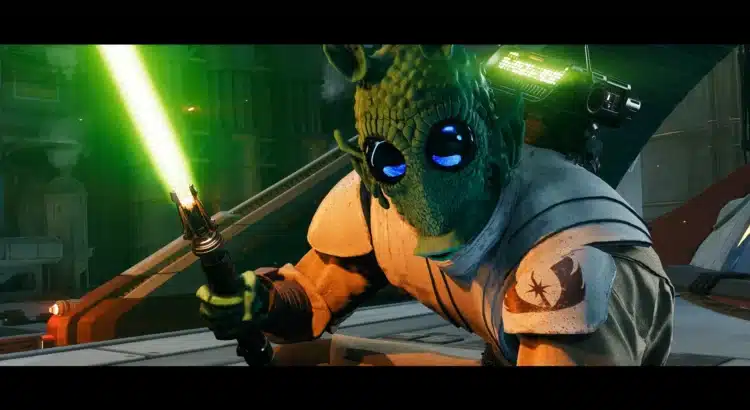
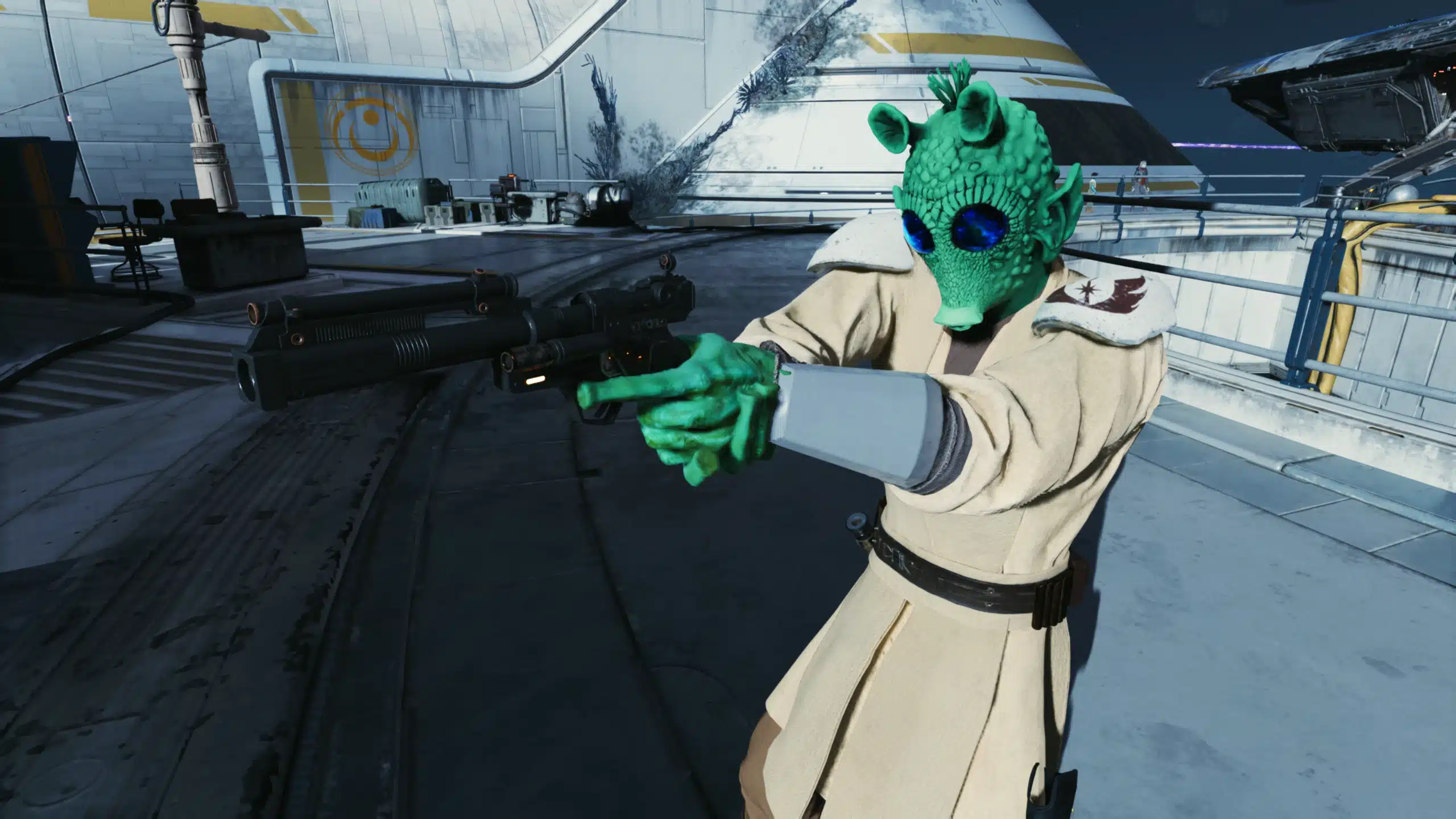
Star Wars Jedi: Survivor does a lot right when it comes to lightsaber combat, traversal, and world design. Character customization, though? That’s where the modding community really starts flexing. One standout example is the Rodian (Outfit Manager) mod, which adds the iconic Rodian species—yes, Greedo’s people—directly into the game’s Outfit Manager system.
If you’ve ever wanted to role-play as a Rodian bounty hunter, outlaw, or just someone who looks like they absolutely would shoot first, this mod delivers in a clean, lore-friendly way.
What the Rodian Outfit Manager Mod Does
At its core, this mod expands the Outfit Manager framework by introducing Rodians as a selectable species. Rather than replacing existing assets in a messy way, it integrates smoothly into the customization pipeline that many Jedi: Survivor players already use.
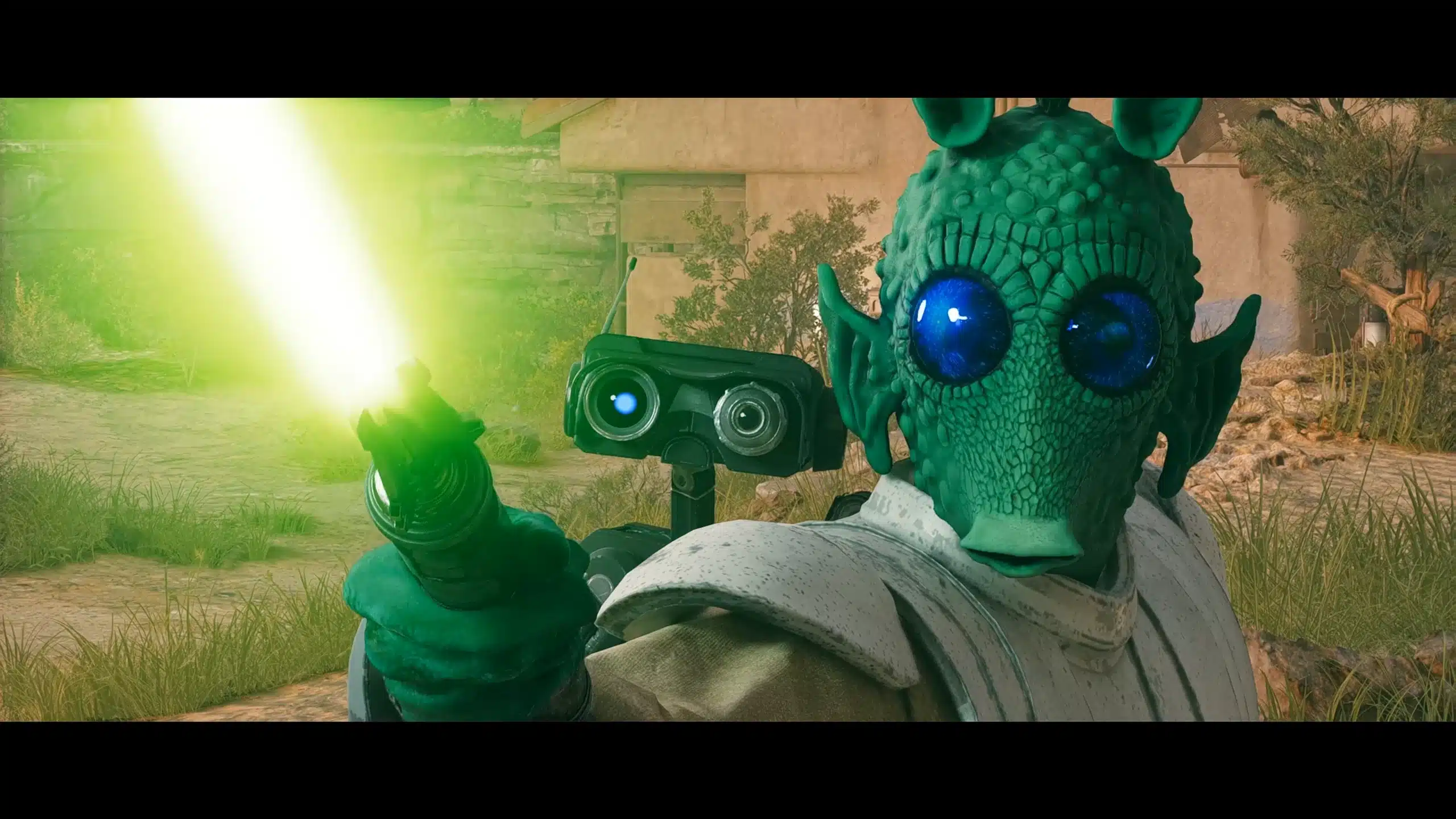
The result is a Rodian character that looks at home in the Star Wars universe, complete with customizable features that let you dial in the exact look you want.
Key Features at a Glance
- Adds the Rodian species (Greedo-style head) to Outfit Manager
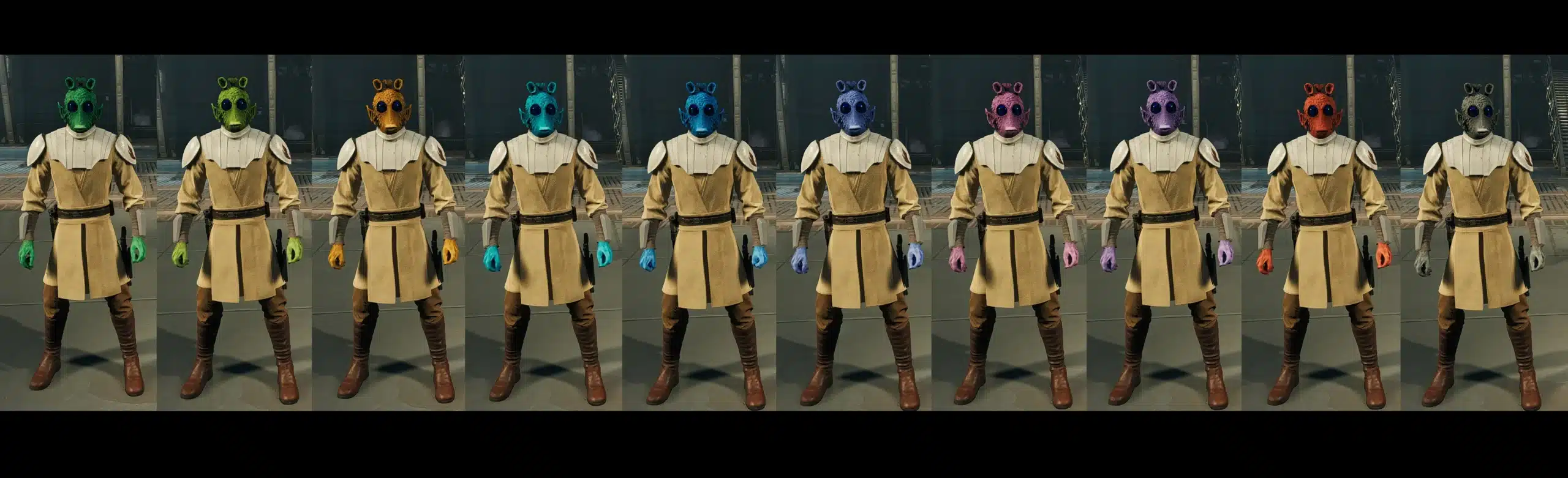
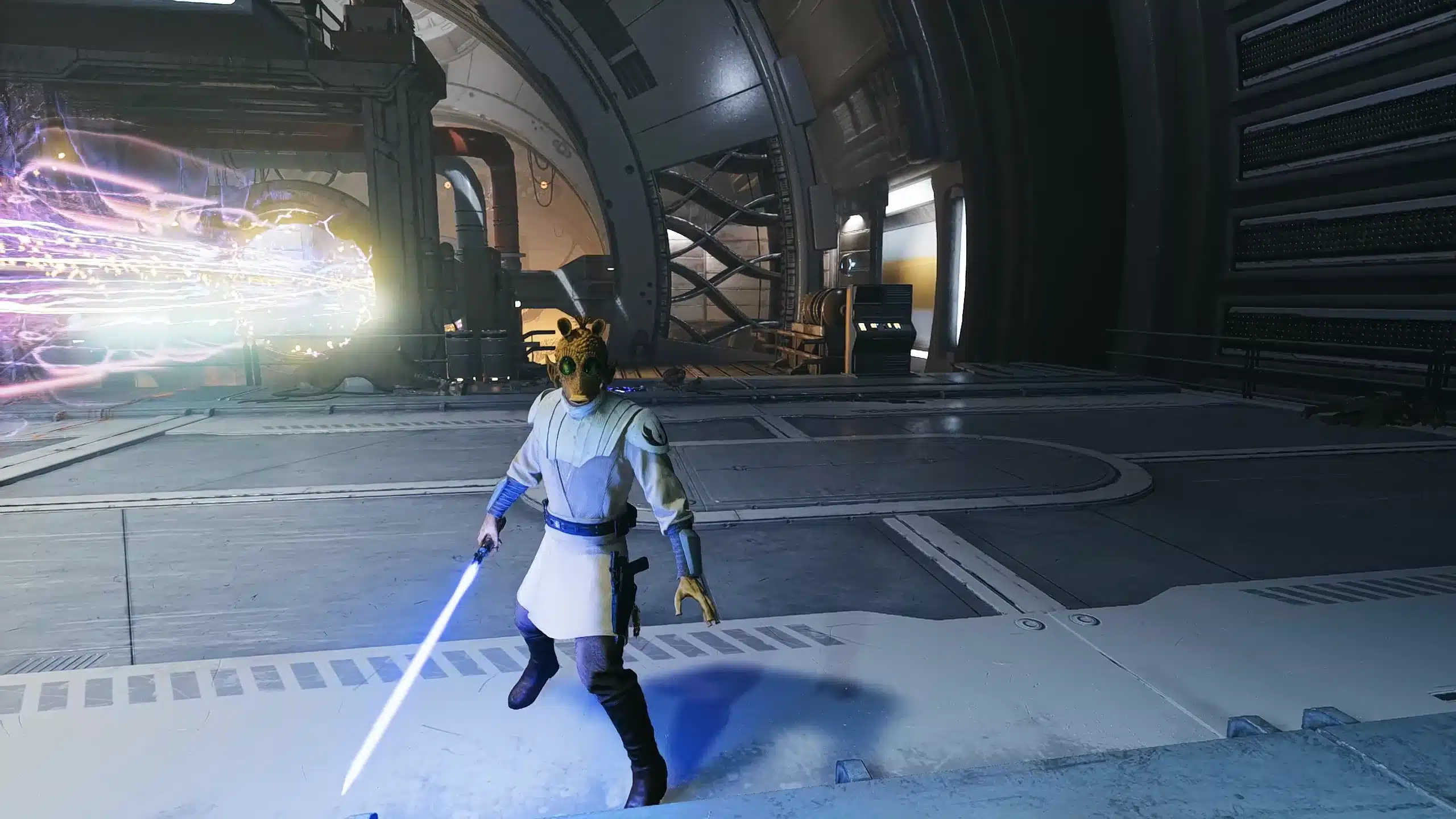
- Multiple skin color options, all combinable
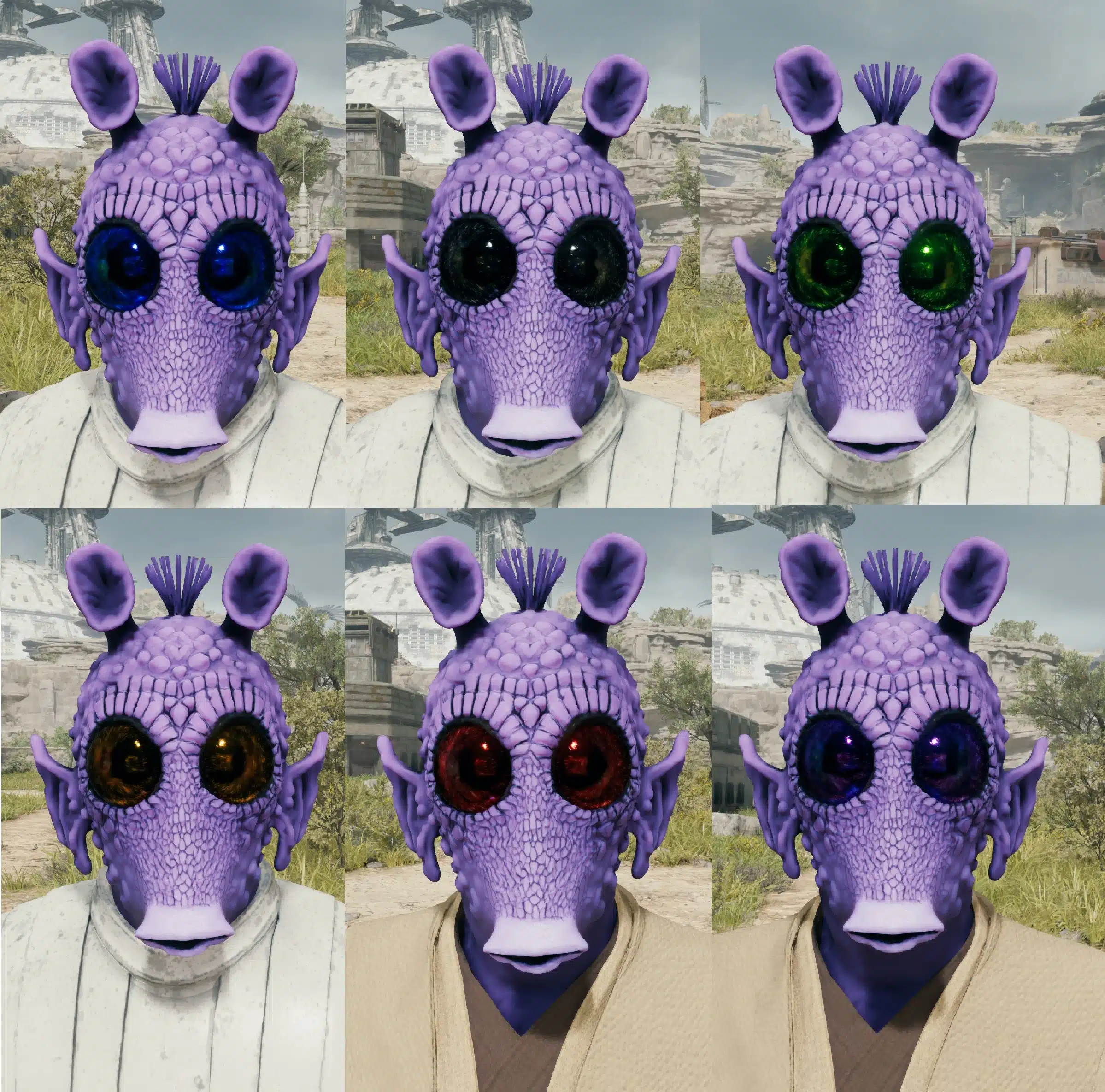
- Multiple eye color options, also combinable
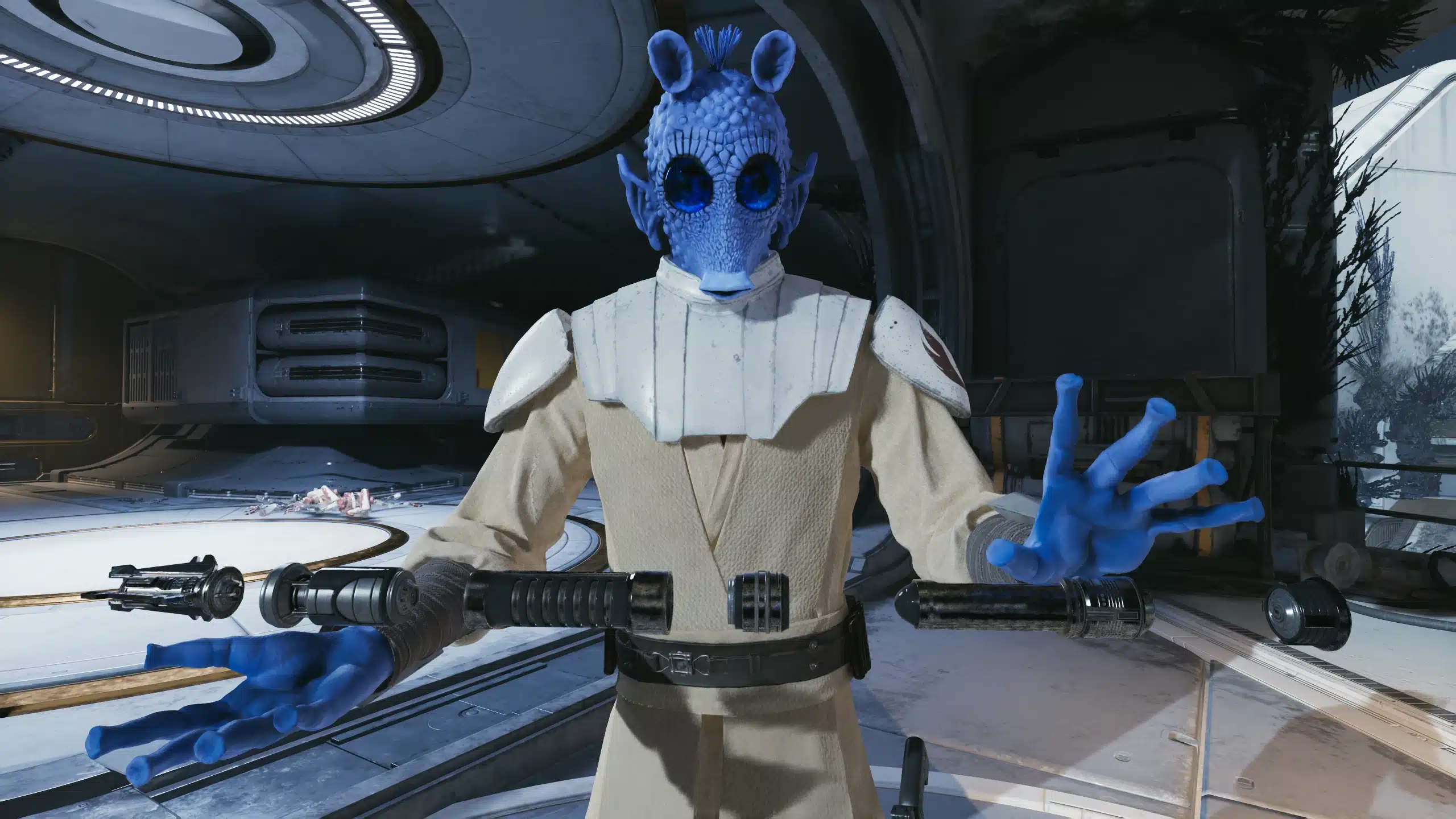
- Optional gloves toggle for extra customization
- Designed to work seamlessly with existing Outfit Manager setups
This isn’t a one-note cosmetic swap. The variety of skin and eye combinations means you can create anything from a classic Mos Eisley Rodian to a completely original character that still feels canon-adjacent.
Why Rodians Make Sense in Jedi: Survivor
Rodians are one of the most recognizable alien species in Star Wars. They’ve appeared everywhere from A New Hope to The Clone Wars, often portrayed as bounty hunters, mercenaries, or morally flexible freelancers. That makes them a perfect fit for a game like Jedi: Survivor, where the galaxy feels lived-in and morally complicated.
Dropping a Rodian into the Outfit Manager doesn’t break immersion—it enhances it. Walking through frontier planets or sketchy cantinas as a Rodian just feels right, especially if you’re leaning into a grittier, underworld-flavored playthrough.
Customization Options Explained
One of the strongest points of this mod is how flexible it is without becoming overwhelming.
Skin and Eye Colors
The mod includes a wide range of Rodian skin tones, from classic green to darker and more exotic variations. These can be freely combined with different eye colors, allowing for dozens of unique combinations without touching a config file.
This makes it ideal for players who want variety across multiple save files—or who simply enjoy tweaking their look until it feels perfect.
Optional Gloves
The glove option is small but appreciated. Depending on the outfit you’re pairing the Rodian head with, gloves can either complete the look or clash with it. Having the option to toggle them gives you better visual control, especially when mixing and matching armor pieces.
Installation Guide (Quick and Clean)
This mod is straightforward to install, assuming you already have the required framework in place.
Requirements
- Outfit Manager must already be installed
(This mod will not function without it.)
Installation Steps
- Download the mod files from the link below
- Extract the
.zipfile - Copy the three included files into:
Jedi Survivor\SwGame\Content\Paks\~mods - Launch the game and access Outfit Manager
If you don’t already have a ~mods folder, you can create one—or place the files directly into the Paks folder if you prefer.
Download the Rodian Outfit Manager Mod
You can grab the mod here:
Download Rodian (Outfit Manager) Mod
How This Mod Fits Into a Modded Playthrough
This Rodian mod pairs especially well with:
- Outfit Manager armor expansions
- NPC and species immersion mods
- ReShade presets for cinematic lighting
- Camera and FOV customization tools
It doesn’t conflict with gameplay systems, animations, or story content, making it safe to add mid-playthrough if you’re already running a modded setup.
Final Thoughts
The Rodian (Outfit Manager) mod is a great example of smart, focused modding. It doesn’t try to reinvent Jedi: Survivor—it simply expands it in a way that feels authentic, flexible, and fun to use.
If you enjoy deeper customization, alien species variety, or just want to channel some Greedo-energy into your next run, this mod earns an easy recommendation.
Stay connected with the galaxy’s latest updates!
Follow us on X, Facebook, Instagram, or Pinterest for exclusive content, mod guides, Star Wars gaming news, and more. Your support helps keep the Holonet alive—one click at a time
Author
Related Posts

Star Wars Battlefront 2 suddenly captivates players and breaks records after the success of Andor
How the Star Wars Outlaws team recreated Sabacc and changed the approach to mini-games
Disney’s 2026 Slate Confirms Two New Star Wars Shows — And They Couldn’t Be More Different-
Mark Hamill Says Luke Skywalker’s Ending in The Last Jedi Was “A Nice Exit” — And He Means It


-
The Mandalorian Joins Disney’s Billion Hours Club — And It’s a Star Wars First -
Remembering Jeremy Bulloch: The Man Behind Boba Fett, Five Years On -
Star Wars: Galaxy of Heroes – Update 12-17 Breakdown (Datacrons, Make Goods, and a Small Oops) -
Sigourney Weaver Cheekily Breaks Down What It’s Like to Hang with A Group of Grogus on The Mandalorian & Grogu